

🧐 Things you will need throughout the process
- A personal Google Account
- Your company information (company only)
- A person with authority to sign legal contracts (company only)
- A credit card ($25)
⏱ Estimated duration
- Between 1 and 3 minutes
👉 Full Google help pages: https://support.google.com/googleplay/android-developer/answer/6112435?hl=en
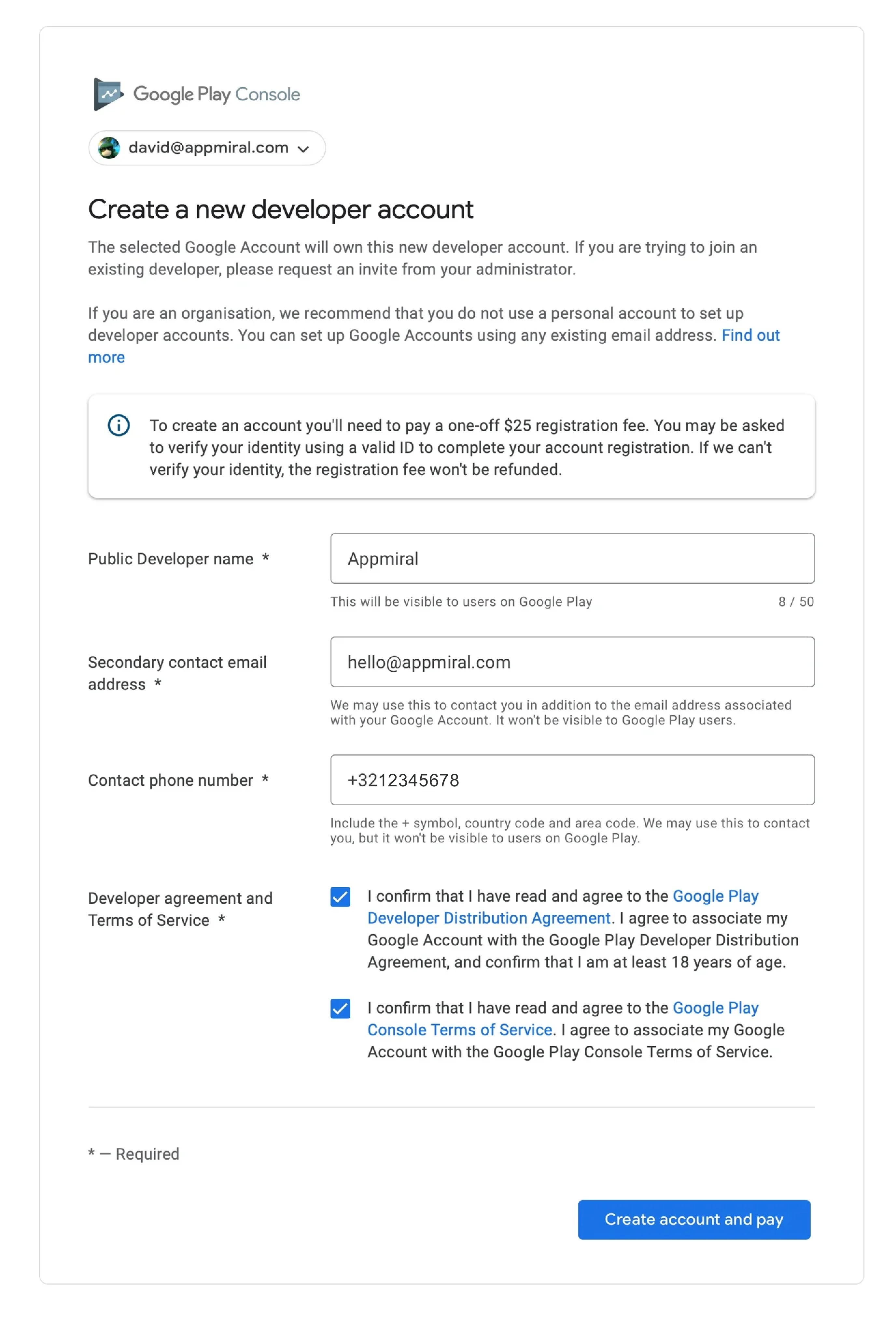
1. Register a new developer account
Go to https://play.google.com/console and choose your existing account or register a new account.
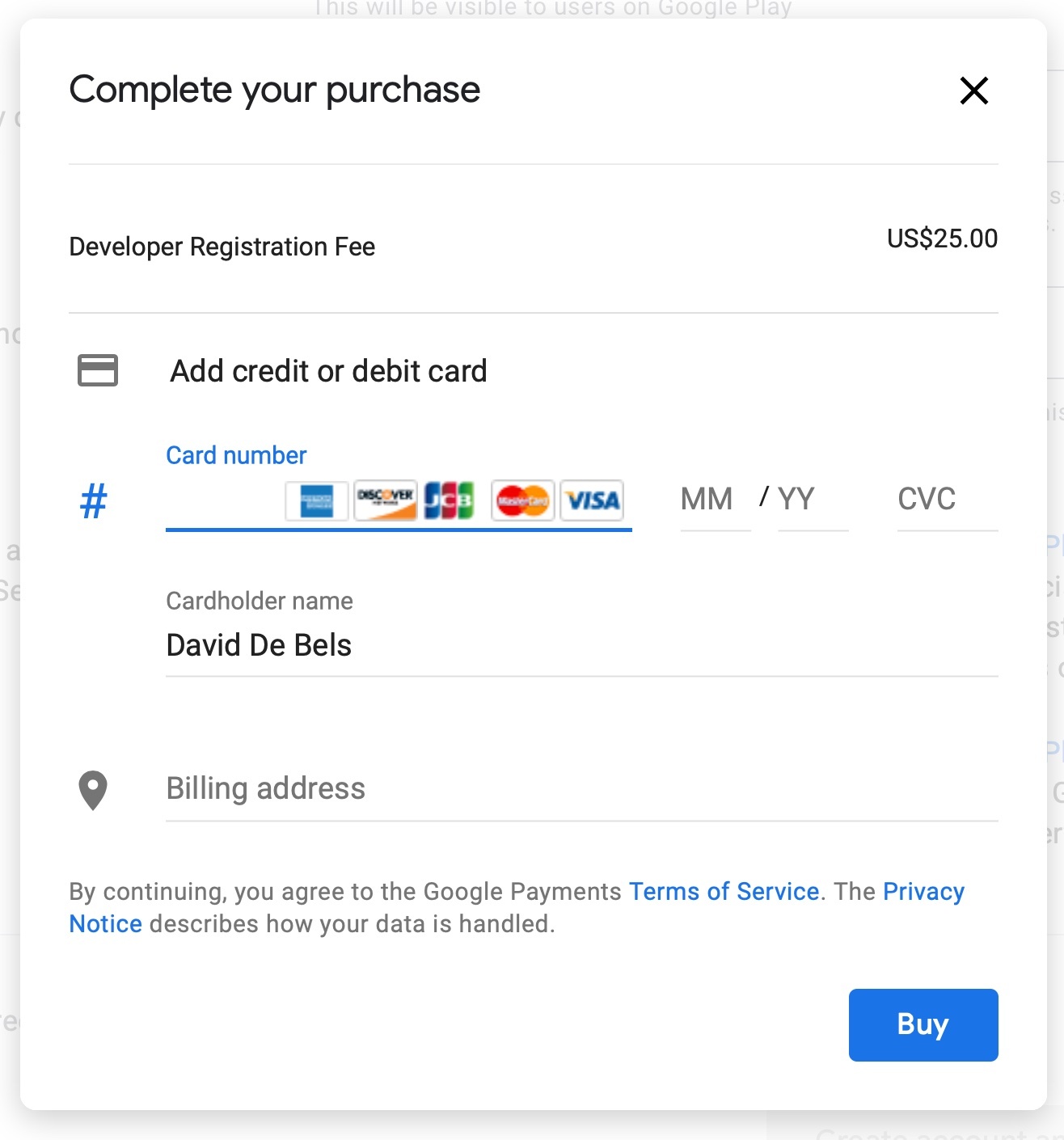
2. Pay a one-off fee
3. Adding Appmiral to your Play Console
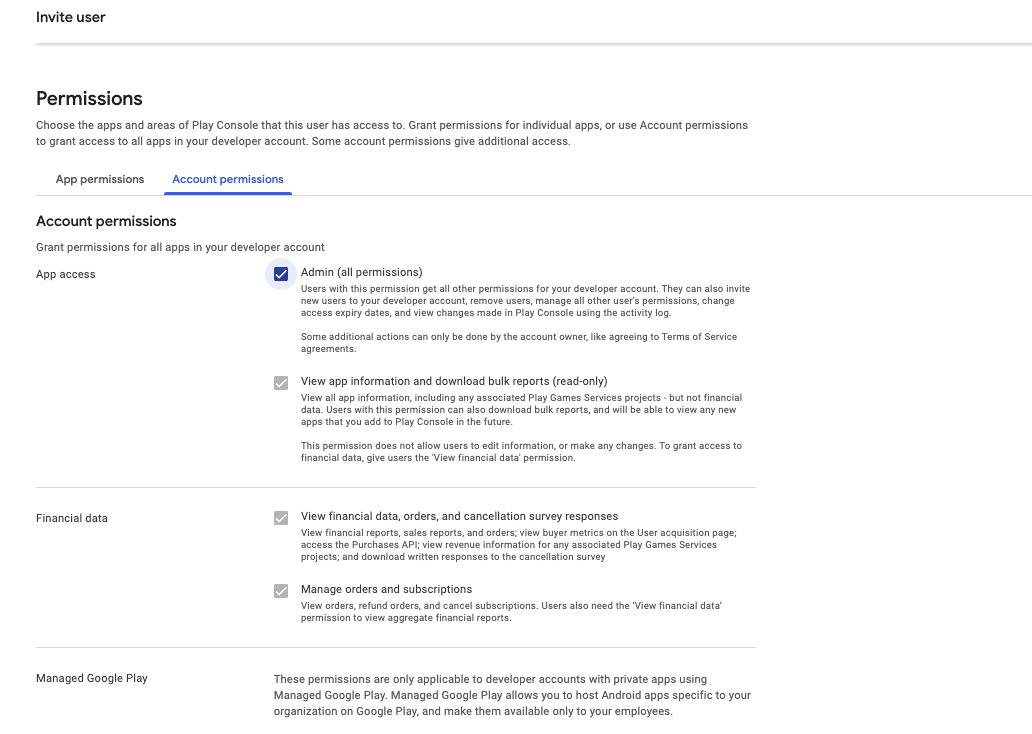
To allow Appmiral to submit the application to the App Store for you, you will need to grant us access to this Developer portal.
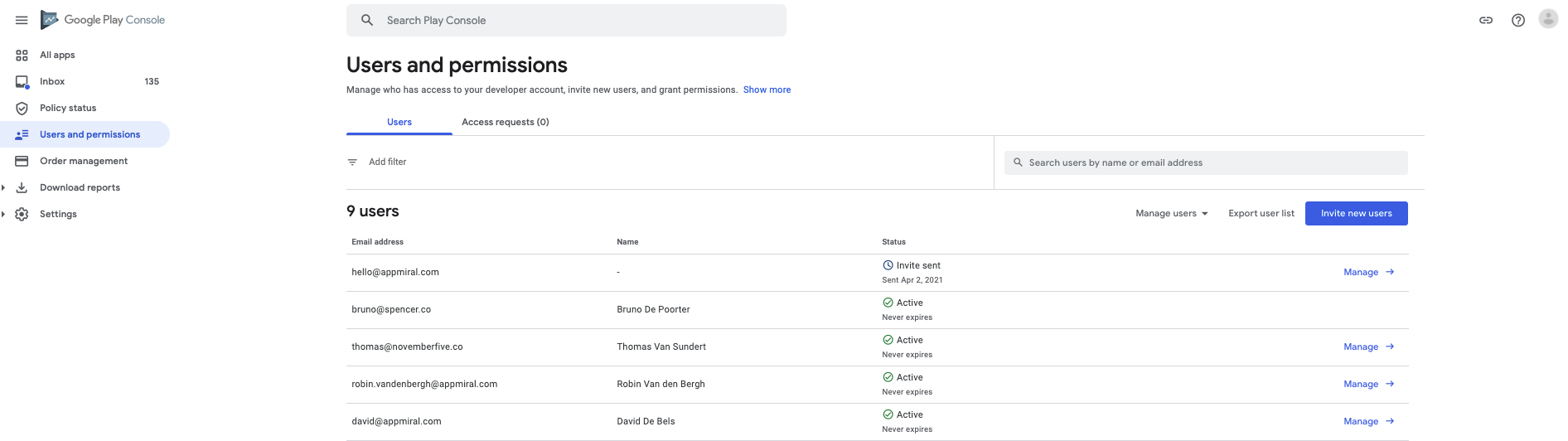
Click on Users & Permissions in the menubar left. Then 'Invite a new user' and add developer@appmiral.com.
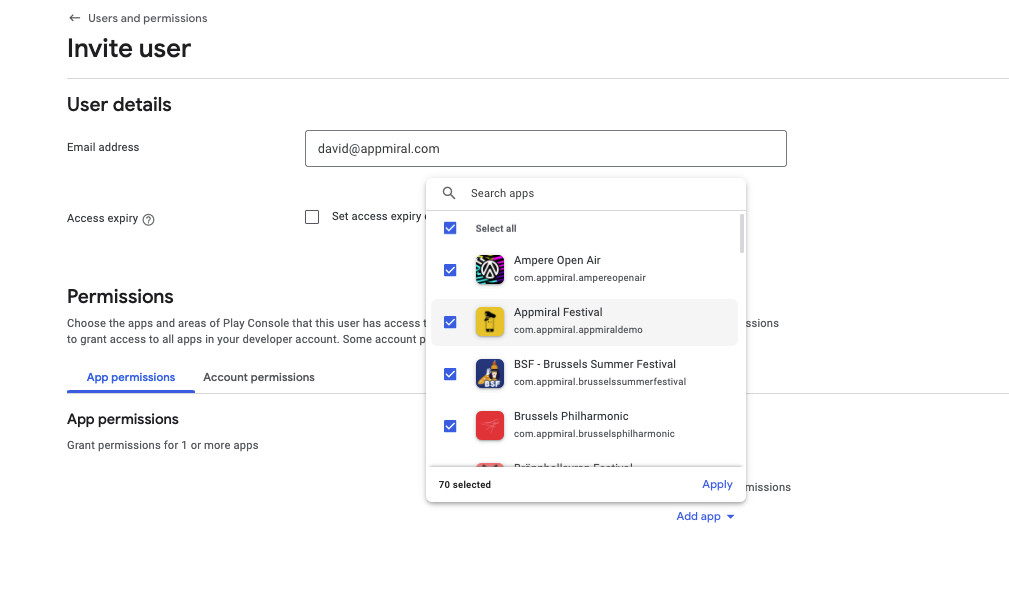
This user needs full access to your apps and account permissions. See screenshots below.
✅ Woohoo, your Google Play Console is now ready to submit your application.