
📢 New Feature: Grouped "More" Menu for Improved Navigation We're excited to introduce a new enhancement to your app's navigation: Grouped "More" Menu Sections!
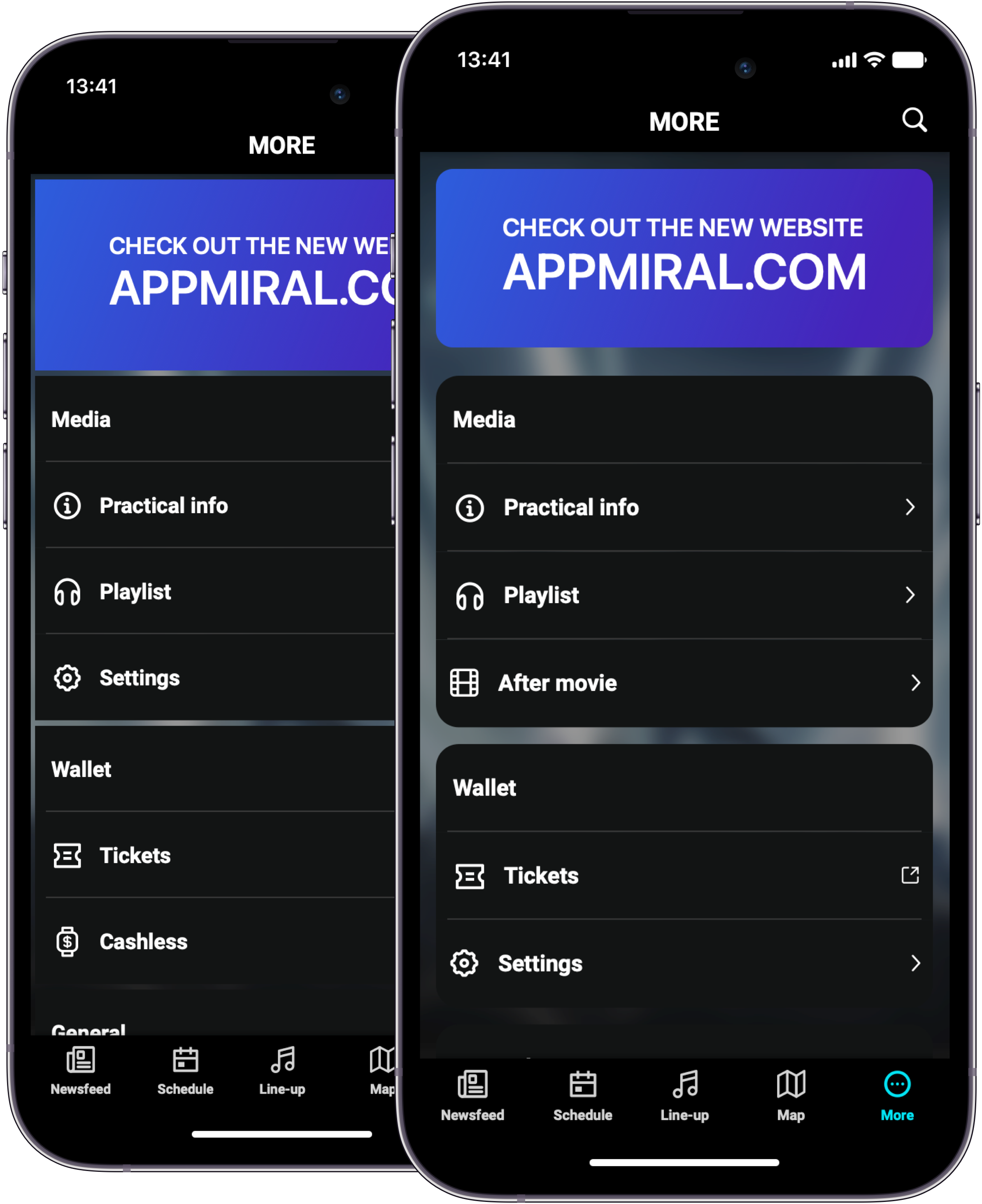
With this update, the "More" menu is now organized into clearly defined sections, allowing related features and tools to be grouped together, for example:
- Media
- Wallet
- Schedules
🎯 What’s New?
- Segmented Menu Structure: Menu options are now grouped by category, making it easier to locate and understand their purpose.
- Improved Clarity: Each section provides context so users can quickly identify what a specific item relates to.
- Cleaner Navigation: A more structured layout means less visual clutter and a better overall user experience.
🔧 Steps to Create a Menu Section
- Navigate to Settings:
- Go to Settings > Menu.
- Create a New Section:
- Click the "Add New" button to create a new menu item.
- On the creation page:
- Give your section a name (e.g., Wallet, Media, Activations).
- In the Type field, select "Section".
- Save the Section: Once your section details are complete, click Save.
- Add Menu Options to the Section:
- Back in the menu overview, click "Add New" again to create a menu item.
- Fill in the card details as usual.
- In the Parent field, select the section you created in step 2.
✅ Notes
- You can create as many sections as needed.
- Each section can contain multiple related menu items for better organization.
💬 Interested? Please contact your customer success manager to enable this feature for you.